Content Creator
Everything you need to create content for Tennis-Point. On one page.
Tennis as it is really played.
Tennis-Point is Europe's tennis specialist. We equip the people who actually play: in league matches, in training, in the hall after work. Not the perfect staging, but the real game.
What we want to see
Real match situations, real places, real people. The moment before the serve, the walk to the court, the conversation after the match. Products in use, not just on display.
What we do not need
Staged studio poses, gloss without a link to the game, generic fitness aesthetics. If it could stand for anyone, it is not Tennis-Point.
There are three routes by which content comes about. They differ in who does the designing. Not everything on this page applies to everyone.
We clarify which route applies to you in advance. If you are unsure, ask before you produce.
You design freely
You produce on your channel, in your own visual language and with your own means. We do not give you design specifications, because your channel carries your signature.
Sections 03 to 05
You design with our template
You produce for us regularly and receive templates, type and colors from us. Our design framework applies here, because we supply the tools for it.
Sections 03 to 06
We design
You shoot, we design. Most important point: deliver unedited material so we can work with it.
Sections 03 to 05 and 07
These points always apply, whichever route is yours. They are not a matter of taste.
Show the product correctly
The product must be recognizable and correctly shown: right color, right model, undamaged, worn or held correctly. When in doubt, take one more shot.
Stay honest
No statements about properties the product does not have. No promises about performance, durability or prices that are not agreed with us.
Technical minimum quality
Sharp, steady, well exposed, sound without interference. Vertical for story and reel, no upscaled or heavily compressed files.
What does not work
Competitors in frame
No visible logos of competing retailers. Brands on products we sell are of course fine.
Footage of professional players
No photos or videos of professional players, not from the web and not from tournaments. Several rights are attached to these and have to be licensed separately.
Music without rights
Only music from the platform library or royalty-free tracks. Chart music cannot be used on brand accounts, even if the platform offers it to you.
Third-party claims and logos
Do not rebuild our logo, our claim or elements of other brands yourself. If you need them, you get them from us.
AI-generated content
No AI-generated images or videos of products or people without prior agreement. This includes generative editing features in apps.
Who is recognizable as the sender depends on where the content runs. In the first two cases you do not need a logo in the image.
| Where it runs | Logo in asset | How the sender becomes clear |
|---|---|---|
| On our channel | Not needed | Our profile picture and account name already sit above every post. An additional logo in the image only duplicates the sender and costs space. |
| On your channel | Not needed | Tag @tennis_point_official in the image and in the caption and add the agreed link. Your profile remains the sender, we are the partner. |
| If it becomes an ad | Yes, wordmark | In an ad, the audience seeing us does not follow us and does not know the sender. Then the asset has to carry the sender itself. For the same reason our own campaign assets carry a logo even though they run on our channel. |
You will receive the link with your briefing. We tell you in advance if your post will be run as an ad, because the rule above changes then.
Two points that are not design questions but legal ones. They apply regardless of which route is yours.
Advertising disclosure
Paid or otherwise compensated posts must be disclosed as advertising. This also applies if you received products free of charge.
Use the platform's disclosure function and additionally state it at the beginning of the caption. The disclosure must be visible without expanding the text.
Usage rights
We clarify with you whether and how we may reuse your content, on which channels and for how long. What exactly applies is put in writing in advance.
Being definedFormats, type and color for content you design yourself.
The specifications in this section apply to route 02, when you receive our templates. On route 01 you design in your own visual language. The examples below are worth a look either way.
Formats and usable area
Part of the area is covered by the interface. In portrait formats that is 269 pixels at the top for the profile row and progress bar. At the bottom, the story reply bar covers 340 pixels and the reel controls cover 672 pixels. The reel is the larger case, so that is what we plan for. The safe area is the band from 14 to 65 percent of the image height, with 6 percent clearance on each side. Keep the core motif and any text inside that area.
How to read this
The solid band at the bottom is already covered in a story. The semi-transparent band above it is added in a reel. Keeping both clear is safe in either case. The yellow line at 34 percent marks the top edge of the type.
What it looks like finished
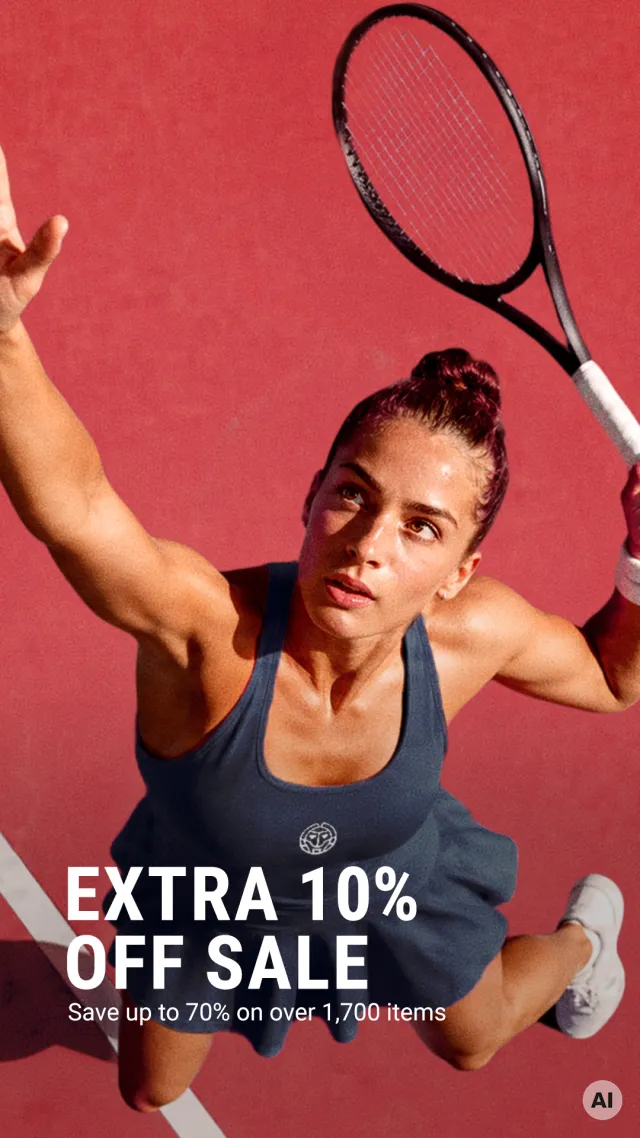
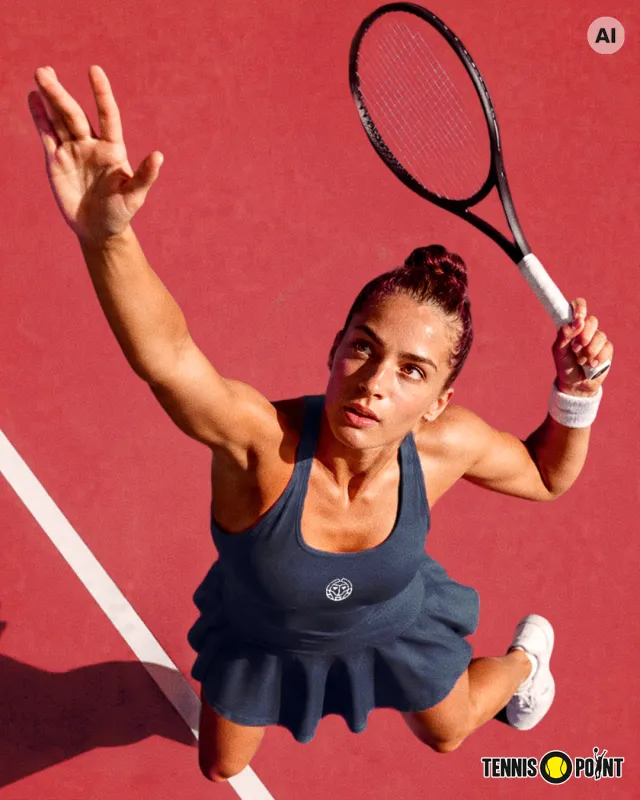
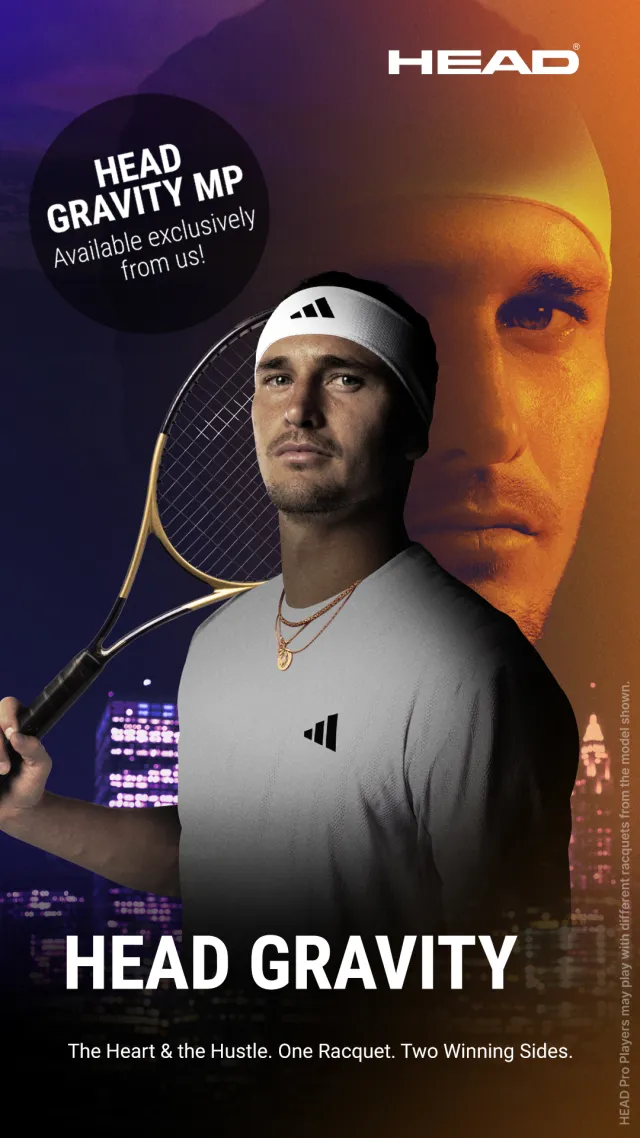
Three examples from our own channels. The first two show the same motif in two formats. They show visual language and text treatment, not the sender rule from section 04.
The mark in the corner
The first two motifs are AI-generated and therefore carry the disclosure; the launch motif is real photography and needs none. More on this in section 07.
Type
You work with the template you receive, the type is already set in it. In the current social layout that is Roboto Bold in capitals, with a maximum of five words per statement. Do not add a typeface of your own. The move to our brand typeface is decided and will reach you through a new template.
Color
Our yellow is an accent, not a base surface: for highlights, chips and lines. Yellow type on a light background is not legible and is therefore ruled out. On a yellow surface, type is always dark.
Text over image
Text needs a reading surface. Use the gradient from the template instead of placing text directly on a busy motif. The gradient zone must not sit over faces.
Framing
Close to the player rather than far away. A telling detail beats a wide shot in which nothing is recognizable. Leave room at the top and bottom for the covered zones.
Where this is heading
Our brand headline typeface is Courtside Sans, and the social layout is being moved onto it. The direction is decided, only the rollout is open. Until it arrives, what your template says applies. The examples above therefore show today’s state, not the target.
Work in progressNew Season
The collection has landed.
What the template shows
Headline in Courtside Sans, subline in Roboto, both left-aligned with the top edge of the type at 34 percent of the image height. Shown without image content because this is about typesetting and position, not the motif.
Templates
For route 02 we provide a template set with type, colors and areas already set up, so you can work within the framework on mobile as well.
Being definedIf a motif was created with AI, that has to be visible in the image.
Applies only to motifs actually generated or altered with AI. Real photography needs no disclosure.
When it is required
As soon as a motif is wholly or partly generated or altered with AI, whether it shows people, products or places. For you the rule stands anyway: AI only after prior agreement, see section 03.
What it looks like
The official EU icon “AI” in a circle, light or dark depending on the background. You get it from us, do not rebuild it yourself. Details are in the guidelines under AI labelling.
Where it belongs
The disclosure has to be recognizable. If it sits under the interface, it does not do its job. So it belongs inside the safe area, not at the edge of the image.
Why top right
At the bottom sits the reply field in a story and the logo in the feed, and the lower left usually carries the headline. Top right is free in both formats once you go below the profile row, and the label stays on the top edge across formats.
Where we stand
Since 5 October 2026 the label sits at the top of all our own assets, top right by default and top left only if a logo sits on the right, in every channel. The detailed rules are in the guidelines under AI labelling.
Being definedWhen we take over the design, we need material we can actually work with.
This section only applies to route 03, when it is agreed that we design. The most important point comes first.
Format and resolution
Shoot vertically, at your camera's highest quality setting, with no cropping in the app. We cut to the target formats and need headroom for that.
Deliver it clean
No text, no stickers, no filters, no music, no logo. We add text and design afterwards. Fully designed material can no longer be used.
Light and sound
Daylight or even indoor lighting where possible, no harsh mixed light. For speech, record close to the person and avoid wind and reverb.
Handover
Uncompressed via the agreed route, not via messenger. More material is better than too little, including in-between moments and repeats.
Content goes live only after our approval. Send us your draft in good time before the planned date, so we can sharpen it together instead of cancelling at short notice.
Questions and approvals
If something is unclear, ask beforehand. A quick question is faster than a new production.
ckehle@tennis-point.de